How to diagnose drained battery on your garage door opener system and how to replace it?
All of us had the same issue at some point. We got home and garage door opener started beeping at us. You may try the wall control or remote again, but the beeping often continues until the opener’s battery or power issue is corrected. This usually happens as a side effect on an empty battery and your garage door opener will beep a specific number of times in a specific time interval to help you diagnose the problem.
Quick Battery and Power Diagnosis
Start with the opener manual, the LED color, and the blink interval. Many opener backup-battery systems use a 30-second beep or flash for battery trouble, but the exact meaning depends on the opener brand and model.
| Symptom | Likely area to check | Safer next step |
|---|---|---|
| Amber light or beep about every 30 seconds | Backup battery charging, battery connection, or AC power feed | Confirm the opener is plugged in, check the outlet, and inspect low-voltage battery leads only after following the manual. |
| Red light or repeated battery warning | Weak or failed backup battery | Use the exact replacement battery type listed for the opener model. |
| Opener has no power | Outlet, GFCI, circuit breaker, fuse, or power cord | Check the breaker and outlet first; stop and call a qualified technician if wiring is damaged or unclear. |
| Wi-Fi opener alerts continue | Battery status, network connection, or app alert history | Clear the app alert only after confirming the opener has power and the battery status is normal. |
Related GarageSanctum guides: review garage door opener circuit breaker sizing, troubleshoot sensor issues when a garage door will not open, check smartphone garage door opener setup, or browse the full garage door repair section.
The first thing you should do is to check your user manual and to find the error code you are getting (the beeping light number and interval). However, we can help you as well. Below are some of the most common reasons explained and how you can fix each one. In addition, the cause of this beeping can be in the battery in a remote controller or in the backup system.
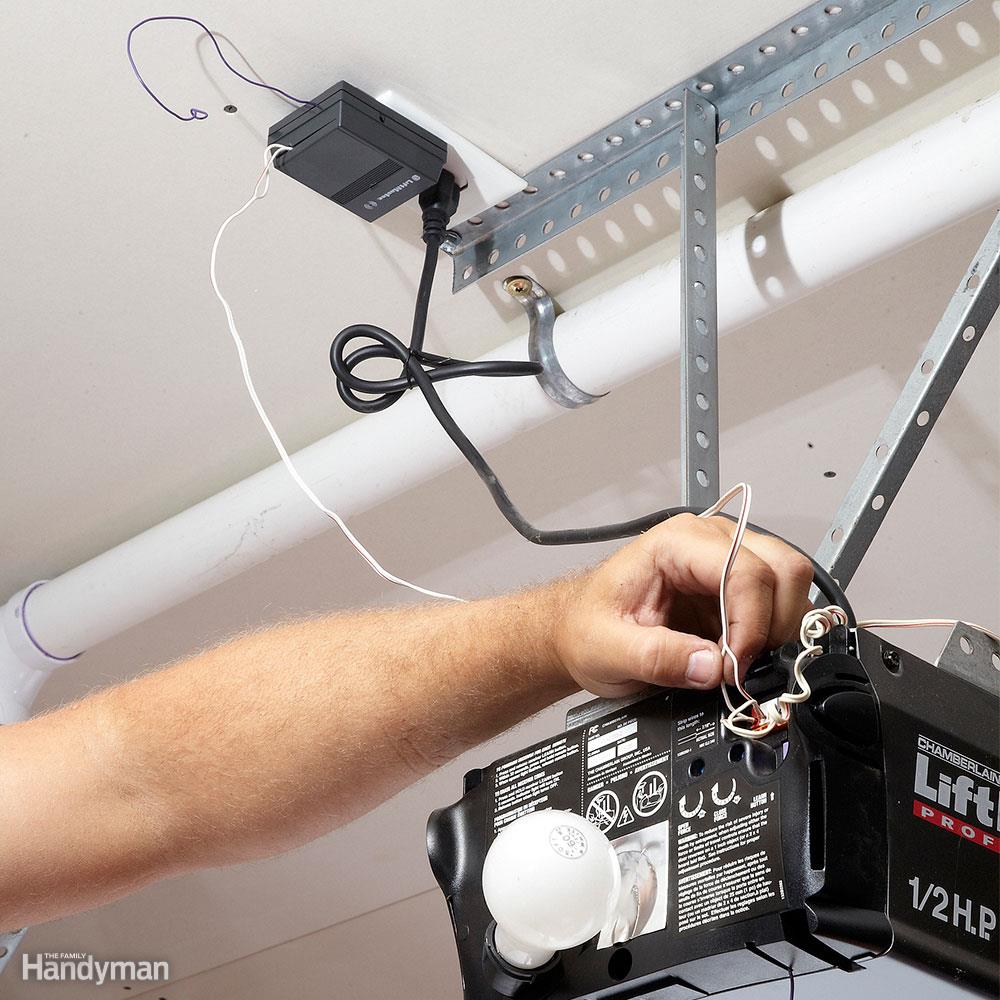
30-second flashing light
First, check the interval of the flashing light and compare it with the opener manual. If it flashes every 30 seconds the problem is with the battery. In most cases, this is the amber light and it means that a battery has to be recharged. Check that the opener is plugged in and that the outlet has power; if wiring looks damaged or loose, stop and call a qualified technician. In most cases, this will fix the problem and you will be able to continue using the garage door.
If the flashing light is red, then you need to replace the battery. It is empty and it won’t be able to be recharged. The only fix is to replace the battery and you can continue using the system once again.
If the amber flashing light continues to flash even after you have checked the system and you are positive that the power reaches the system, there is a more severe problem with the system and you should check the user manual. Once again, the problem might be with the battery inside the system.
2 seconds flashing light
Now we have a case in which the LED will flash every 2 seconds and the color will be red. This means that the system doesn’t get enough energy to be used. The most common cause is in the battery again. However, a blown fuse might be the cause as well. The last but not least, a faulty socket can be the cause as well.
This type of flashing is very annoying and it always refers to the lack of power the system gets. This may happen due to decreased power voltage in the house or due to the old and damaged battery. If the opener uses a standard plug and the manual allows it, test a known-working outlet. If it works you have found the issue. If it doesn’t, you will need to replace the battery.
Preventing damage to the battery
The best thing you can do is to prevent the damage to the battery. Here we will help you by presenting you a simple tip you need to use. For instance, all of these batteries must be fully recharged and they must contain electricity at all times. If the power drops under a specific value the battery won’t be able to recharge and you will need a new one.
Obviously, you need to have it plugged into the socket at all times and you should make sure that the voltage meets the requirement. Do not leave a backup battery discharged for long periods; follow the manufacturer’s recharge and replacement guidance. Almost all units are designed to keep the power for an additional 24 hours after the loss of power. Anything longer can damage the components inside a battery.
What about garage door controlled over the Wi-Fi
You can check the same issues for the garage doors that use Wi-Fi to operate. However, in this case, you will need to check the user manual simply because you have to find the accurate description to the beeping and the interval that happens. It might be the network problem or the network might be accidentally deleted.
These systems are more complicated therefore you have to use the user manual to find the specific problem and the fix for it. Once again we can see that batteries and connection are generally the causes of the issues and they can be fixed within minutes.
The final word
A battery of your garage door opener can last for 24 hours and after that, you must recharge it. Don’t allow that the power inside the battery decreases below a threshold which means you won’t be able to use that battery ever again. Last but not least, you should make sure that the wiring and connections are stable. See more at our repair and section here.