Quick answer: On Chamberlain, LiftMaster, and Craftsman openers, the Learn button color can identify the opener’s radio technology and narrow the compatible remote or keypad family. It is not a complete compatibility test. Confirm the opener model, antenna wire, frequency, and current manufacturer documentation before buying an accessory.
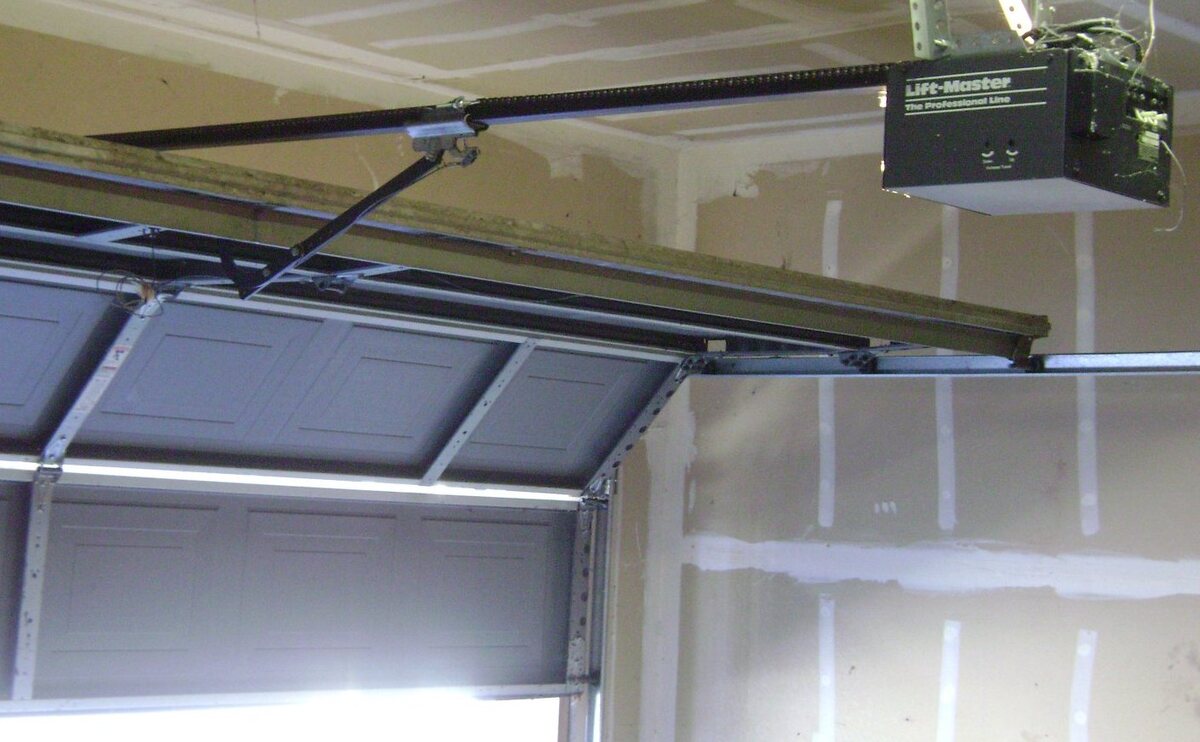
Image: Oleg Alexandrov, Wikimedia Commons, public domain. The photo shows the opener location; it does not identify a specific Learn button color.
Garage door opener Learn button color chart
Use the chart as a first identification step for Chamberlain-manufactured openers. The approximate years are useful clues, not a substitute for the model label or owner’s manual. Models can overlap by year, and a faded button can look different from its original color.
| Learn button | Antenna clue | Technology | Radio frequency | Approximate period | What to verify next |
|---|---|---|---|---|---|
| Yellow, white, or gray square | Gray | DIP switch | No longer supported | Before 1993 | Model number and replacement options |
| Green | Gray | Billion Code | 390 MHz | 1993–1997 | Exact opener model and universal-remote compatibility |
| Red or orange | Gray | Security+ rolling code | 390 MHz | 1997–2004 | Remote family and model-specific limits |
| Blue | Gray | Security+ rolling code | 433 MHz | 1997–2014 | Logic-board or opener model; this is a discontinued alternate-frequency path |
| Purple or brown when faded | Purple | Security+ rolling code | 315 MHz | 2005–2014 | Confirm the color and model before selecting an accessory |
| Yellow, round | Yellow | Security+ 2.0 rolling code | 310, 315, or 390 MHz | 2011–2022 | Model number and current compatibility page |
| Yellow, round, with Step Saver label | Yellow | Security+ 2.0 rolling code | 315 or 390 MHz | 2022–2025 | Use the model and the exact accessory compatibility listing |
| White, round | White | Security+ 3.0 rolling code | Bluetooth | 2025–present | Confirm the accessory supports the exact opener family |
Important: The chart applies mainly to Chamberlain, LiftMaster, and Craftsman families manufactured by Chamberlain Group. Genie, Linear, Overhead Door, and other brands use different identification systems. Do not select a remote only because its button color looks similar.
What the Learn button color tells you
The color is a shortcut to the opener’s radio family. It can help you choose the right compatibility path when the model label is difficult to read. It does not prove that every remote, keypad, or smart controller will work with the opener.
For example, a purple or brown-looking button points toward the 315 MHz Security+ family, while a red or orange button points toward the 390 MHz Security+ family. A round yellow button usually indicates Security+ 2.0, but the exact model and accessory listing still control. The current manufacturer chart also distinguishes newer round white Security+ 3.0 units from older square white or gray DIP-switch units.
How to find the Learn button safely
- Close the garage door before inspecting the opener.
- Stand where you can reach the motor unit without standing under a moving door.
- Look on the side where the door-control and safety-sensor wires connect. The antenna wire usually hangs from this side too.
- Use a stable ladder if needed. Do not climb on the door, rails, or opener housing.
- If the button is behind a light lens or cover, follow the owner’s manual. Do not open an energized housing or touch wiring.
If the button is faded, compare the antenna wire color, nearby LED color, logic-board part number, model number, and owner’s manual. Treat a color-only guess as provisional.
Compatibility checks before you buy a remote or keypad
Use this checklist before ordering:
- Record the opener brand and complete model number.
- Record the Learn button shape and color.
- Check whether the antenna wire color supports the same identification.
- Confirm the radio technology and frequency in the current manufacturer documentation.
- Check whether the accessory is compatible with the opener family, not only the brand name.
- Check whether an external receiver is installed. The receiver can determine compatibility instead of the motor unit’s original button.
For Chamberlain-family remotes, the manufacturer programming guidance uses different button-press sequences for several older color families. That is useful evidence for identification, but it does not make every remote universal. Follow the manual for the exact remote model.
Common mistakes
Confusing a round yellow button with an older square yellow button
Shape matters. Older square yellow, white, and gray buttons are associated with discontinued DIP-switch systems. A round yellow button is associated with Security+ 2.0. Do not use the color without checking the shape and model.
Treating a faded purple button as brown technology
Purple can fade toward brown. Compare the antenna wire, LED, model label, and documentation before selecting a 315 MHz accessory.
Assuming the button identifies every brand
Learn-button color charts are brand-family specific. Genie and other manufacturers use their own compatibility systems. Start with the brand and model, then use the correct manufacturer’s support documentation.
Choosing an accessory from a marketplace title alone
Marketplace titles often combine several opener generations. Use the manufacturer’s compatibility listing and the exact model number. If the model cannot be confirmed, choose a documented universal path or contact the manufacturer.
Related GarageSanctum guides
- Universal garage door remote compatibility guide
- How to use a smartphone as a garage door opener
- Garage door opener smartphone apps
- Garage door opener guides
Sources and method
The color, antenna, technology, frequency, and approximate-period mappings come from Chamberlain Group’s current Learn button identification guidance. Chamberlain’s current remote-programming guidance provides an independent check for the green, red/orange, purple/brown, and yellow families. Other brands require their own documentation.
- Chamberlain Group: How to identify the Learn button color
- Chamberlain Group: Remote programming by Learn button color
- Genie support
Last source check: September 20, 2026. Recheck the manufacturer pages and the opener model before publishing any compatibility recommendation.