Replacing a Motion Sensor LED Light Bulb Safely
Quick answer: To replace a motion-sensor LED light bulb, turn the power off, let the old bulb cool, match the base size, brightness, color temperature, location rating, and sensor type, then test the fixture in auto mode. If the new bulb does not work, the problem may be the motion sensor, photocell, wall switch setting, fixture wiring, or outdoor moisture rather than the bulb.
Know What Kind Of Motion Light You Have
Some motion lights use a regular replaceable bulb inside a sensor fixture. Others use a motion-sensor bulb with the sensor built into the bulb. Many newer security lights are integrated LED fixtures with no replaceable bulb at all. The replacement path depends on which one you have.
| Setup | What you replace | Main compatibility check |
|---|---|---|
| Motion sensor fixture with screw-in bulb | The bulb only | Base, wattage limit, outdoor/enclosed rating, sensor/dimmer compatibility |
| Motion sensor bulb in a regular socket | The whole sensor bulb | Sensor direction, fixture shade clearance, dusk-to-dawn feature |
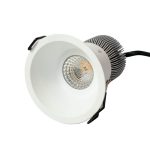
| Integrated LED motion fixture | Usually the fixture or driver module | Whether the manufacturer offers a listed replacement part |
| Smart motion lighting | Bulb, sensor, app setting, or hub rule | Power must stay on; automation may control the light |
Safe Replacement Steps
- Turn the wall switch off. For hardwired outdoor fixtures, turn off the breaker if you will open the fixture or touch wiring.
- Let the bulb and fixture cool before handling.
- Remove the old bulb and check the base type, shape, wattage limit, and any labels inside the fixture.
- Choose an LED bulb rated for the fixture location: dry, damp, wet, or enclosed as needed.
- Avoid putting a sensor bulb inside a fixture that blocks the sensor’s view.
- Install the bulb, restore power, and test at night or cover the photocell if the product has dusk-to-dawn control.
- Reset sensitivity, time-on, and ambient-light settings if the fixture has adjustable controls.

Bulb Specs To Match
| Spec | What to check | Why it matters |
|---|---|---|
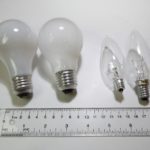
| Base | E26/E27 medium base, GU10, PAR, or fixture-specific | Wrong base will not fit or seat safely |
| Brightness | Lumens, not old wattage | Motion lights need useful coverage without glare |
| Wattage limit | Stay within fixture rating | Protects fixture heat and wiring limits |
| Location rating | Dry, damp, wet, enclosed fixture rating | Outdoor fixtures and sealed housings stress LED electronics |
| Dimmable/sensor compatible | Match dimmers, photocells, timers, and motion controls | Wrong electronics can flicker or fail to turn off |
| Color temperature | 3000K-5000K depending on use | Warm for porch comfort, neutral/cool for visibility |
When The New LED Bulb Still Does Not Work
If the replacement bulb is correct but the light still fails, troubleshoot the control path before buying more bulbs. Motion fixtures often have test mode, time delay, sensitivity, ambient-light, and manual override settings that can make a good bulb look bad.
| Symptom | Likely cause | Next step |
|---|---|---|
| New bulb never turns on | No power, bad socket, daylight sensor blocking operation, failed sensor | Test a known-good bulb and check switch/GFCI/breaker |
| Works in test mode but not at night | Settings, sensor aim, ambient-light control, or blocked PIR view | Adjust sensitivity/time/light-level settings |
| Stays on all night | Manual override, sensor setting, stuck relay, or dusk-to-dawn mode | Cycle power per fixture manual and reset controls |
| Flickers or flashes | Incompatible bulb/control, moisture, loose socket, weak driver | Try sensor-compatible bulb and inspect for water or heat damage |
| Trips breaker or GFCI | Moisture, wiring fault, damaged fixture | Stop using it and call an electrician |
Motion Sensor Bulb Or Motion Sensor Fixture?
A motion-sensor bulb is convenient in a plain socket, but it needs a clear view. If it sits behind frosted glass, inside a deep shade, or sideways in a fixture that blocks the sensor lens, it may not detect motion reliably. A dedicated motion fixture usually has a better-positioned sensor and more adjustment range.
| Choice | Best use | Tradeoff |
|---|---|---|
| Motion-sensor LED bulb | Quick upgrade in a plain socket | Sensor view and fixture shape can limit detection |
| Motion-sensor fixture | Driveway, garage exterior, side door, security lighting | Hardwired replacement may need electrical work |
| Smart bulb plus separate sensor | Automation scenes and indoor spaces | Needs app/hub setup and constant power |
| Dusk-to-dawn bulb | All-night low-effort porch or entry lighting | May conflict with a fixture photocell or enclosed shade |
Outdoor And Garage Safety Notes
- Use wet-rated products where rain can reach the fixture.
- Use damp-rated products only where the fixture is protected from direct water as specified.
- Do not exceed the fixture’s wattage or heat rating just because the LED uses fewer watts.
- Do not use a non-enclosed-rated LED inside a sealed globe or tight housing.
- Call an electrician if you see water inside the fixture, burned sockets, damaged wiring, repeated GFCI trips, or breaker trips.
Related GarageSanctum Guides
- Why LED lights flicker
- Why an LED light stopped working
- Garage lighting ideas
- LED fixture lifespan
- LED wattage explained
Source Notes
- Leviton motion sensor product guidance shows motion lighting products with indoor and covered-outdoor/damp-location considerations.
- Leviton motion sensor programming guidance documents time-out, sensitivity, ambient-light, test, and temporary mode settings.
- ENERGY STAR LED lighting guide explains lumens, heat, LED life, and lighting quality basics.
- Motion-activated floodlight instructions show test mode, dusk-to-dawn behavior, and manual override concepts common on security lights.