Why LED Dusk to Dawn Lights Flicker: Causes and Solutions
Quick answer: LED dusk-to-dawn lights usually flicker because the photo-eye is seeing reflected light, the sensor is partly shaded or dirty, the fixture is connected through another photocell/timer/motion control, or the LED driver, socket, wiring, or photocell is starting to fail. First check the pattern: flicker only at dusk/dawn usually points to sensor placement or reflected light; flicker all night points more toward a failing photocell, loose wiring, moisture, or a bad LED driver.

Why Dusk-To-Dawn LEDs Flicker
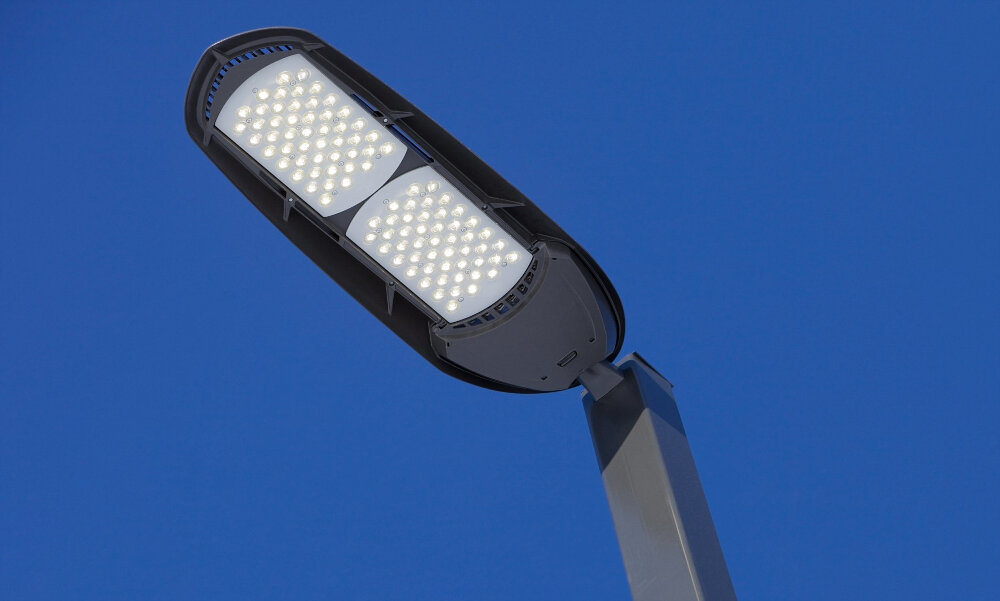
A dusk-to-dawn light depends on a photocell. When the sensor sees daylight, the light turns off. When the sensor sees darkness, the light turns on. Flicker happens when the sensor cannot make a clean decision, or when the light itself cannot hold steady power.
The most common loop is simple: the light turns on, the fixture or a nearby wall reflects light back into the sensor, the sensor thinks it is daytime and turns the light off, then it sees darkness again and turns back on. That on-off cycle can look like flicker, blinking, or strobing around dusk and dawn.
| Flickers only near dusk or dawn | Photo-eye is seeing reflected light or changing ambient light | Cover the sensor with dark tape as a test and check for reflections. |
|---|---|---|
| Flickers all night | Failing photocell, LED driver, loose connection, or moisture | Check for water, corrosion, heat, buzzing, or a damaged fixture. |
| Turns off when another outdoor light comes on | Artificial light is hitting the sensor | Shield or rotate the sensor away from nearby fixtures. |
| Flickers after switching to an LED bulb | Old photocell/timer or control is not happy with low LED load | Use a dusk-to-dawn LED bulb as designed, or replace the photocell with an LED-compatible control. |
| Several outdoor lights flicker together | Shared circuit, voltage, wiring, or weatherproof box issue | Stop and treat it as an electrical problem, not just a bulb problem. |
5 rows
Scroll horizontally to view all columns.
Safety First For Outdoor Fixtures
Outdoor lights live in a rougher environment than indoor lamps. Moisture, insects, corrosion, heat, freezing temperatures, and sun exposure all age the fixture and photocell. Turn power off at the breaker before opening any fixture, junction box, or sensor housing.
Call an electrician if the fixture is hot, buzzing, sparking, tripping a breaker, showing burn marks, filled with water, or connected to old/damaged wiring. Flickering, blinking, or dimming lights can also be a warning sign of overloaded circuits, so repeated flicker across a circuit deserves a professional inspection.
Step-By-Step Troubleshooting
Start outside the fixture before touching wiring. These checks solve many dusk-to-dawn flicker problems without guessing at electrical parts.
| 1 | Clean the photo-eye and remove spider webs, dirt, paint, or tape residue | A dirty sensor can misread ambient light. |
|---|---|---|
| 2 | Cover the sensor fully with black electrical tape or a dark cloth | If the light stays on steadily, the sensor/fixture can hold power and the problem is likely light feedback. |
| 3 | Look for reflections from siding, soffits, glass, snow, glossy trim, or nearby lights | Reflected light can make the photocell hunt on and off. |
| 4 | Rotate the bulb or sensor if the design allows it | Moving the photo-eye away from reflected light often stops dusk/dawn blinking. |
| 5 | Remove extra controls from the equation | Dusk-to-dawn bulbs generally need constant power and may not work correctly through timers, motion sensors, or external photocells. |
| 6 | Check for water, corrosion, cracked lenses, or loose fixture hardware with power off | Moisture and bad connections can cause all-night flicker and should not be ignored. |
6 rows
Scroll horizontally to view all columns.
The Black Tape Test
The black tape test is the fastest way to separate a photocell placement problem from a failing fixture. Cover the photocell completely so it thinks it is night. If the light turns on and stays steady, the bulb, driver, and wiring are probably capable of stable operation. The sensor is likely being confused by reflected light or another light source.
If the light still flickers while the sensor is fully covered, look deeper. The likely causes become a failing photocell, moisture in the housing, a loose connection, an LED driver problem, or circuit voltage instability.
Reflected Light And Sensor Placement
Sensor feedback is especially common on porch lights, garage lights under soffits, barn lights near light-colored siding, and fixtures mounted close to reflective trim. Snow, wet pavement, white vinyl siding, glass storm doors, and glossy paint can all bounce enough light back toward the sensor to make it cycle.
Possible fixes include rotating the sensor, changing the bulb orientation, moving the fixture, adding a small shield that blocks fixture light but not daylight, or replacing a cheap sensor with a better photocell that has more stable switching behavior.
When The Problem Is The Bulb Or Driver
If the fixture uses a screw-in dusk-to-dawn bulb, the light sensor may be built into the bulb. These bulbs need steady power at the wall switch so the electronics can decide when to turn on and off. If you run that bulb through a timer, motion sensor, smart switch, or external photocell, the controls can fight each other.
If the fixture has an integrated LED board, there may be no bulb to replace. Persistent all-night flicker can mean the LED driver is failing, especially if the problem changes with temperature or moisture. In that case, replacing the whole fixture is often more practical than trying to repair the driver.
Photocell, Timer, And Motion Sensor Conflicts
One automatic control is usually enough. Problems start when a dusk-to-dawn bulb is installed in a fixture that already has a photocell, or when a photocell fixture is fed by a timer, motion sensor, smart switch, or another light sensor. The light may never receive the constant power the internal sensor expects.
| Dusk-to-dawn bulb in plain always-on fixture | Low, if the sensor can see daylight | Leave the wall switch on and aim the sensor correctly. |
|---|---|---|
| Dusk-to-dawn bulb in fixture with external photocell | Two sensors can conflict | Use a regular LED bulb with the fixture photocell, or bypass/replace controls professionally. |
| Dusk-to-dawn bulb on a timer | Bulb may not get constant power | Choose either timer control or dusk-to-dawn control, not both. |
| Photocell fixture near motion floodlight | Motion light can hit the photocell and shut it off | Shield or relocate the sensor so other lights do not shine into it. |
4 rows
Scroll horizontally to view all columns.
Moisture, Corrosion, And Outdoor Wiring
Outdoor flicker that gets worse after rain, snow, or freeze-thaw cycles deserves extra caution. Water inside a fixture or junction box can corrode terminals and create intermittent contact. A weatherproof cover, gasket, or fixture body that no longer seals should be repaired or replaced.
With power off, you can look for obvious water, rust, cracked lenses, insects, or broken seals. Do not keep cycling a wet or damaged fixture to see if it clears up. Drying the outside is not the same as repairing a compromised electrical enclosure.
Repair Or Replace?
| Sensor is dirty or aimed at reflected light | Clean, rotate, shade, or reposition the sensor | Homeowner |
|---|---|---|
| Dusk-to-dawn bulb is fighting a timer or external photocell | Simplify to one control method | Homeowner for bulb choice; electrician for wiring changes |
| Flicker persists with sensor fully covered | Replace photocell, bulb, or fixture after checking for moisture | Experienced DIYer or electrician |
| Fixture has water, corrosion, heat, burn marks, or breaker trips | Stop using it until repaired | Electrician |
4 rows
Scroll horizontally to view all columns.
What Not To Do
- Do not cover a photocell permanently with tape unless the manufacturer recommends that exact setup.
- Do not run a dusk-to-dawn bulb through multiple automatic controls and expect stable behavior.
- Do not ignore flicker that appears after rain or only in freezing weather.
- Do not open an outdoor fixture or junction box with the breaker on.
- Do not keep using a fixture that smells hot, buzzes, sparks, or trips a breaker.
FAQ
Why does my dusk-to-dawn light flicker at sunset?
The photocell is probably near its switching point or seeing reflected light from its own fixture. Clean and cover-test the sensor, then rotate or shield it if the light becomes steady when the sensor is covered.
Can I use a dusk-to-dawn LED bulb with a timer?
Usually no. Many dusk-to-dawn bulbs need constant power. A timer interrupts power and can cause odd behavior. Use either the timer with a regular LED bulb or the dusk-to-dawn bulb in an always-on fixture.
Why does the light flicker all night?
All-night flicker is less likely to be normal sensor switching. Suspect a failing photocell, bad LED driver, loose connection, moisture, corrosion, or circuit problem.
Should I replace the photocell or the whole fixture?
If the fixture is otherwise sound and has a replaceable photocell, replacing the photocell can make sense. If the fixture is corroded, cracked, wet inside, or integrated with a failing LED driver, replacing the fixture is often cleaner.
Related GarageSanctum Guides
- LED light flickering fixes
- LED light flashes when turned on
- LED wattage explained
- LED vs regular light bulbs
- LED ceiling fan lights flicker
Source Notes
- Feit Electric support explains dusk-to-dawn bulb sensor behavior, the tape test, reflected-light flicker, and incompatibility with timers.
- e-conolight describes photocell testing, sensor placement, artificial-light interference, loose wiring, and failing photocells.
- Hyperlite discusses optical feedback, the black-tape test, driver faults, wiring faults, and moisture checks.
- PacLights lists outdoor floodlight flicker causes including loose wiring, incompatible controls, voltage fluctuation, and sensor issues.
- ESFI lists flickering, blinking, dimming lights, breaker trips, buzzing, and burning odor as overloaded-circuit warning signs.
- NFPA electrical safety guidance is used for the broader safety boundary around electrical warning signs and professional inspection.